How to Register a New Gas Grill Warranty Fast
So you just dropped a few hundred bucks on a new gas grill, and somewhere in the box there's a warranty card and a registration link you've been ignoring. We get it. Registering a grill feels like a chore you'll get to later, until the day a burner rusts through or the firebox cracks, and suddenly that "later" becomes a very expensive problem.
The truth about how to register a new gas grill warranty is simpler than most people think, but there's a right way and a wrong way to do it.
Manufacturer specifications indicate that most grill warranties are only honored if the original owner registers the product within a specific window, often 30 to 60 days from the purchase date. Missing that window can void your coverage entirely. Before you fire up that first cookout, spend ten minutes protecting your investment, and we'll walk you through exactly what to do.
Quick Answer
To register a new gas grill warranty, locate the serial number and model number on the grill's data sticker. Take a photo of your receipt. Visit the manufacturer's official website and fill out their warranty registration form within 30 days of purchase.
Save the confirmation email. Don't rely on the retailer's system to do it for you.
Step 1: Find Your Serial Number and Model Number (They're Not the Same)
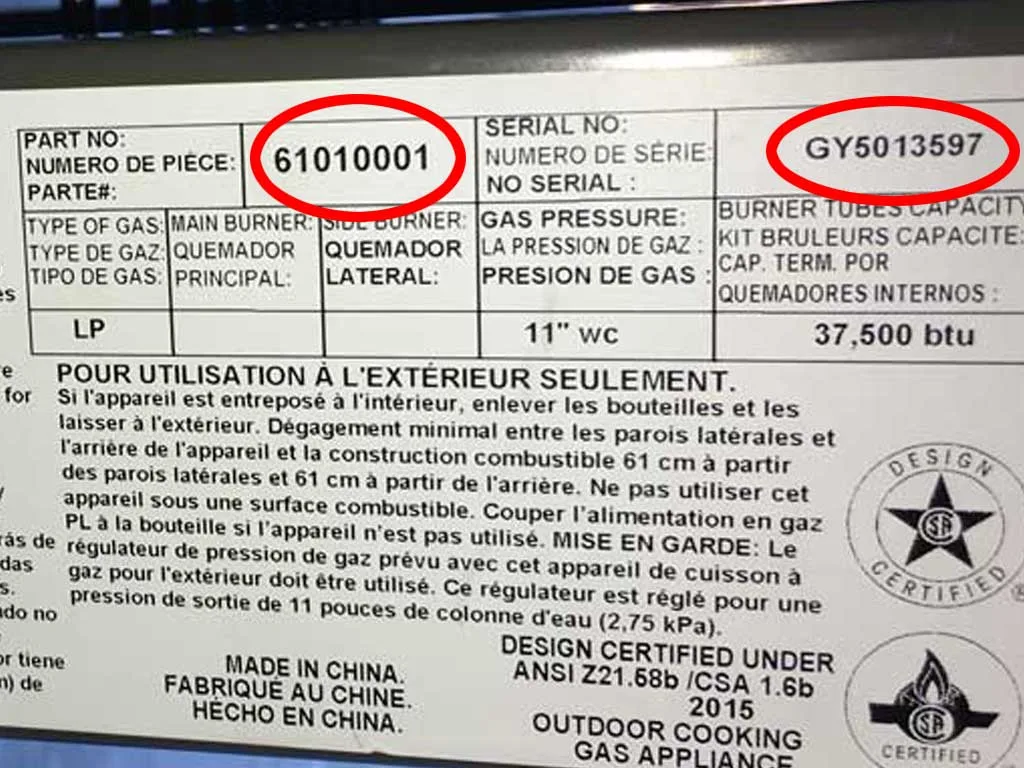
The first thing you need is the grill's identity. That lives on a small metal sticker, usually silver or white, with a bunch of tiny text and barcodes. You'll find it in one of three places:
- On the back panel, facing the wall
- Inside the cart, near the grease tray
- On the left side of the body, near the bottom
That sticker has both the model number and the serial number, and they're different things. The model number tells the manufacturer which product line you own, like "Spirit E-310" or "Pro Series 500." The serial number is unique to your specific unit, like a fingerprint. Most warranty forms ask for both.
Don't confuse them. The model number often has letters and numbers, like "S-435" or "RXT-5B." The serial number is typically longer and may include the production date in coded format. Write both down before you start the registration process, because you'll need them for the online form.
Step 2: Check Your Registration Window Before You Do Anything Else
Here's where most people trip up. The registration clock starts ticking the day the grill ships from the warehouse, not the day you unbox it. If you bought the grill in March but didn't assemble it until June, you might already be late.
Most manufacturers require registration within 30 days of the purchase date. Some extend that to 60 days, but 30 is the industry standard. Check your owner's manual or the manufacturer's website to confirm the exact window for your brand.
- Napoleon requires registration within 30 days of purchase
- Weber asks for registration within 30 days for most models
- Broil King gives you a 30-day window as well
- Traeger allows 30 days for pellet grills
If you're past the window, don't panic yet. Some brands are flexible if you have your receipt and call customer service directly. The online form might reject late registrations, but a phone representative can often override it if you explain the situation.
No guarantees, but it's worth the call.
Step 3: Gather the Right Paperwork (Receipts, Emails, and Order Confirmations)
Before you open that registration form, get your paperwork together. The registration process asks for proof of purchase, and you'll need one of these three documents:
- Paper receipt from a physical store
- Email confirmation from an online order
- Invoice from a dealer or contractor
Take a clear photo of your receipt, or screenshot the email confirmation. Make sure the photo shows the store name, the date, the model number, and the price you paid. Blurry photos get rejected, and then you're back to square one.
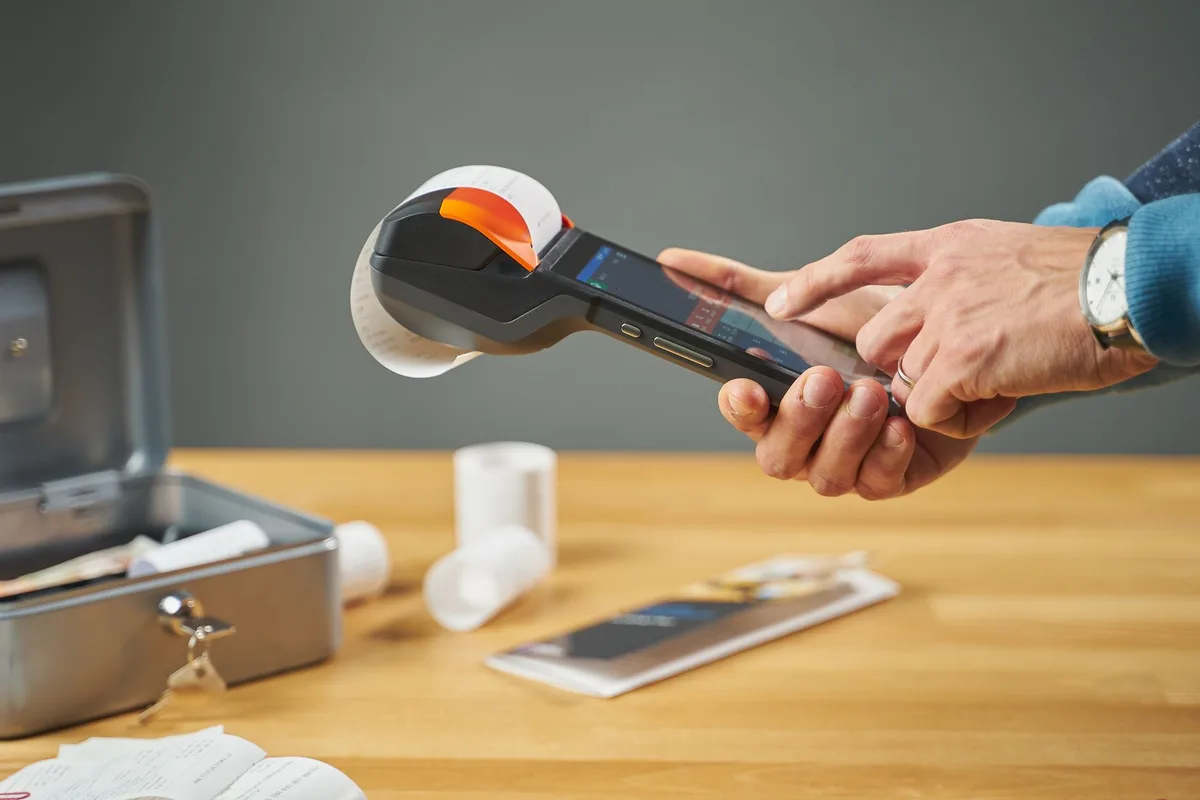
Here's a few things to note. If the receipt is faded thermal paper, copy it immediately or photograph it in bright light. If you bought the grill as a gift, get the receipt from the person who purchased it.
And if the receipt lists a different model number than the one on your grill, that's a problem you need to fix now, not later.
One more detail: some manufacturers ask for the dealer's name and location. If you bought from a big box store, that's easy. If you bought from an online marketplace, the seller's name from your order confirmation is what you'll enter.
Step 4: Use the Manufacturer Portal, Not the Retailer's System
This is the step that saves your warranty. When you buy a grill from a major retailer, the cashier might tell you your warranty is automatically registered. Don't believe it.
Retailers like Home Depot and Lowe's sometimes share purchase data with manufacturers, but it's not guaranteed and it's not universal. The only registration that counts is the one you submit to the manufacturer yourself. That means visiting the brand's official website and using their warranty portal.
The registration form usually asks for:
- Your name and contact information
- The grill's model number and serial number
- The purchase date and dealer name
- A copy of your receipt (uploaded as a file)
Create an account on the manufacturer's site while you're there, because that lets you track the registration status later. Some brands email you a warranty certificate, and you'll want that saved somewhere you can find it in two years when a burner finally gives out.
Don't mail in the paper card. Some manufacturers still include them, but the online portal processes faster and gives you a confirmation record. Keep that confirmation email in a folder, or take a screenshot and save it to your phone.
You'll need it when filing a claim.

Similar Posts